ELEGOO Arduino Kits: How to Pick the Right One
ELEGOO's Arduino-compatible kits range from a lean starter set to a 200-piece box and a build-it-yourself robot car. Here is how to decide which one matches what you want to learn.
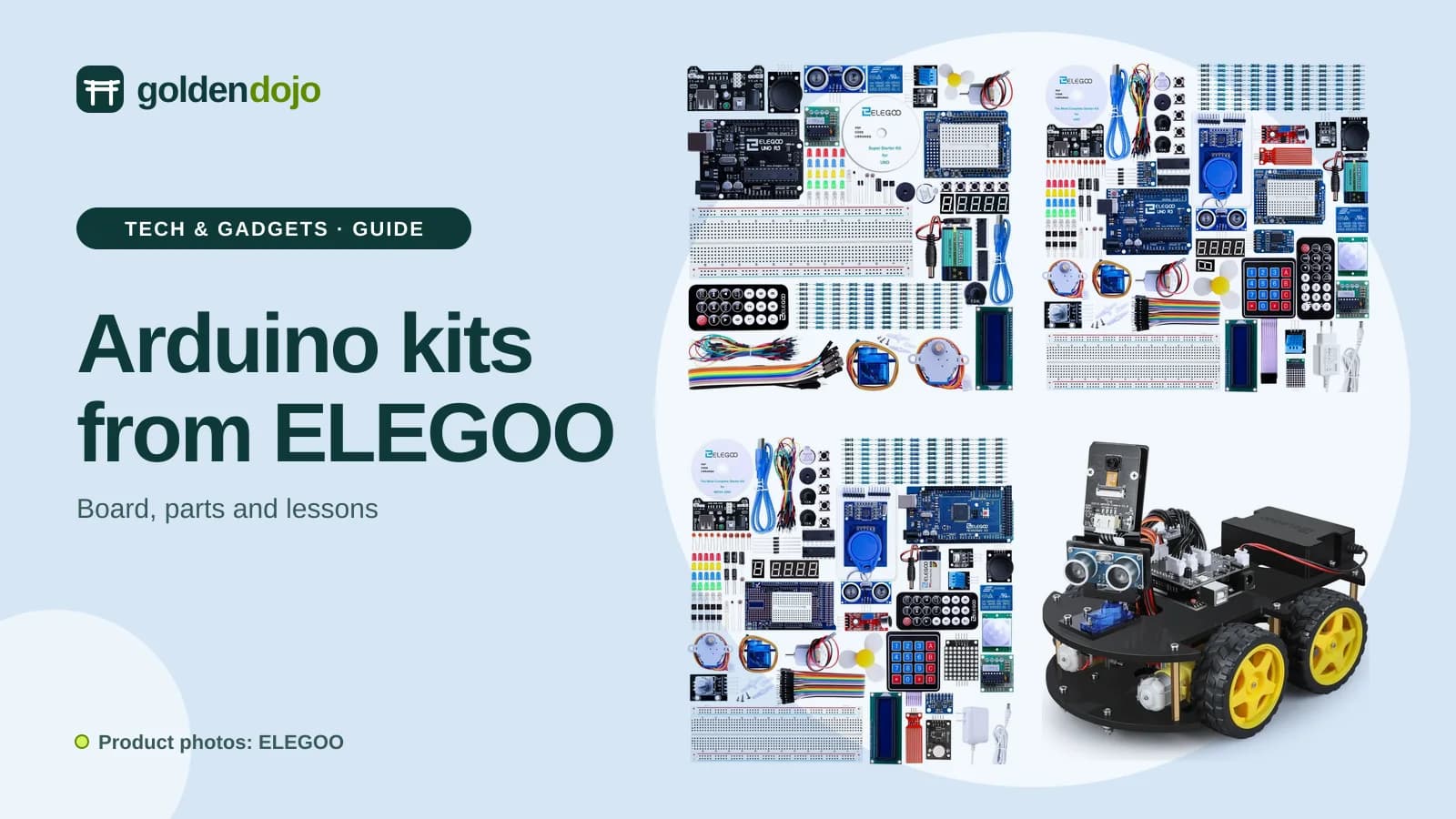
ELEGOO is best known for 3D printers, but it also makes a line of Arduino-compatible STEM kits for anyone who wants to learn how electronics and code work together: blinking LEDs, reading sensors, driving motors, and eventually building something that moves. This is a research-based guide, not a hands-on test.
The choice is less obvious than it looks, because the kits differ in the main board, the number of parts, the length of the lessons and whether you end up with a loose set of components or one finished project. Prices change, so none are quoted here; check the store for current prices and availability.
What to decide first
Ask yourself one question: do you want to learn by experimenting with many small circuits, or by building one machine?
A component kit (the three starter kits here) gives you a board, a breadboard and a large set of sensors, displays and motors, plus lessons that introduce them one at a time. A project kit (the robot car) gives you one specific build with a defined result. The first teaches broad fundamentals; the second is more motivating for some people but covers a narrower set of skills.
Then think about who the learner is. The UNO R3 Super Starter Kit is suggested for ages 10 and up, with supervision for younger children, and the robot car for ages 13 and up. All of these kits involve small parts and basic electronics, so an adult nearby is sensible for younger learners.
Factor 1: the board
The brain of each kit is an ELEGOO board that works with the Arduino IDE, the free programming environment most tutorials use.
- UNO R3 is the standard beginner board and is used in two of the starter kits and in the robot car.
- Mega 2560 R3 is a larger board for projects that need more connections than an UNO offers, such as many sensors, displays and motors at once.
For a first kit, the UNO is the simpler starting point. The Mega is the better pick if you already know your projects will outgrow an UNO.
Factor 2: what is in the box
Part counts are not the whole story, but they show how far you can go before buying extras.
- The Super Starter Kit is a smaller, focused set: the UNO R3 board, an LCD1602 display with pins pre-soldered, a power supply module with a 9V battery, a 74HC595 shift register with LEDs, a 4-digit 7-segment display, a stepper motor with driver board, and further sensors.
- The Most Complete kits (UNO and Mega) have more than 200 components, including an RFID module, an L293D motor driver, DC motors, an 830 tie-point breadboard and a compartment case with a bonus box for small parts.
- The robot car has 24 kinds of module parts, including obstacle avoidance, line tracking and an infrared remote, plus a camera module.
Factor 3: lessons and support
A kit is only as useful as the tutorial that comes with it. Each of these kits includes a free PDF tutorial and the code for its modules.
- The Super Starter Kit has 20+ lessons.
- The UNO Most Complete Kit has 30+ lessons.
- The Mega Most Complete Kit has 35+ lessons.
- The robot car comes with a CD of assembly instructions and code, and the same material can be downloaded online.
If lessons are your main concern, look at the topics rather than just the count: displays, motor control with the L293D and LED control with a shift register all appear across the kits.
Factor 4: skill level and what you want at the end
The robot car is the one kit here where the end result is a finished machine: an Arduino-controlled car that can avoid obstacles, follow a line, take commands from an infrared remote and be controlled from Android and iOS devices. It is suited to beginners, but basic electronics knowledge helps and it is best built with someone to guide you. Read it as a project for a motivated learner, ideally with some help.
The component kits have no single end goal, so they suit people who like to explore. If you tend to lose interest without a goal, the car may hold your attention better.
How the factors map to the kits
| Kit | Board | In the box | Lessons | Built for |
|---|---|---|---|---|
| UNO R3 Super Starter Kit | UNO R3 | Focused set with LCD1602, stepper motor, 7-segment display and more | 20+ | A first kit |
| UNO R3 Most Complete Starter Kit | UNO R3 | 200+ components, 60+ kinds | 30+ | Broad experimenting |
| Mega 2560 Most Complete Starter Kit | Mega 2560 R3 | 200+ components, 60+ kinds | 35+ | Bigger projects, more pins |
| Smart Robot Car Kit V4.0 | UNO R3 | 24 kinds of module parts | CD and online tutorials | One finished robot |
Which option suits whom
UNO R3 Super Starter Kit
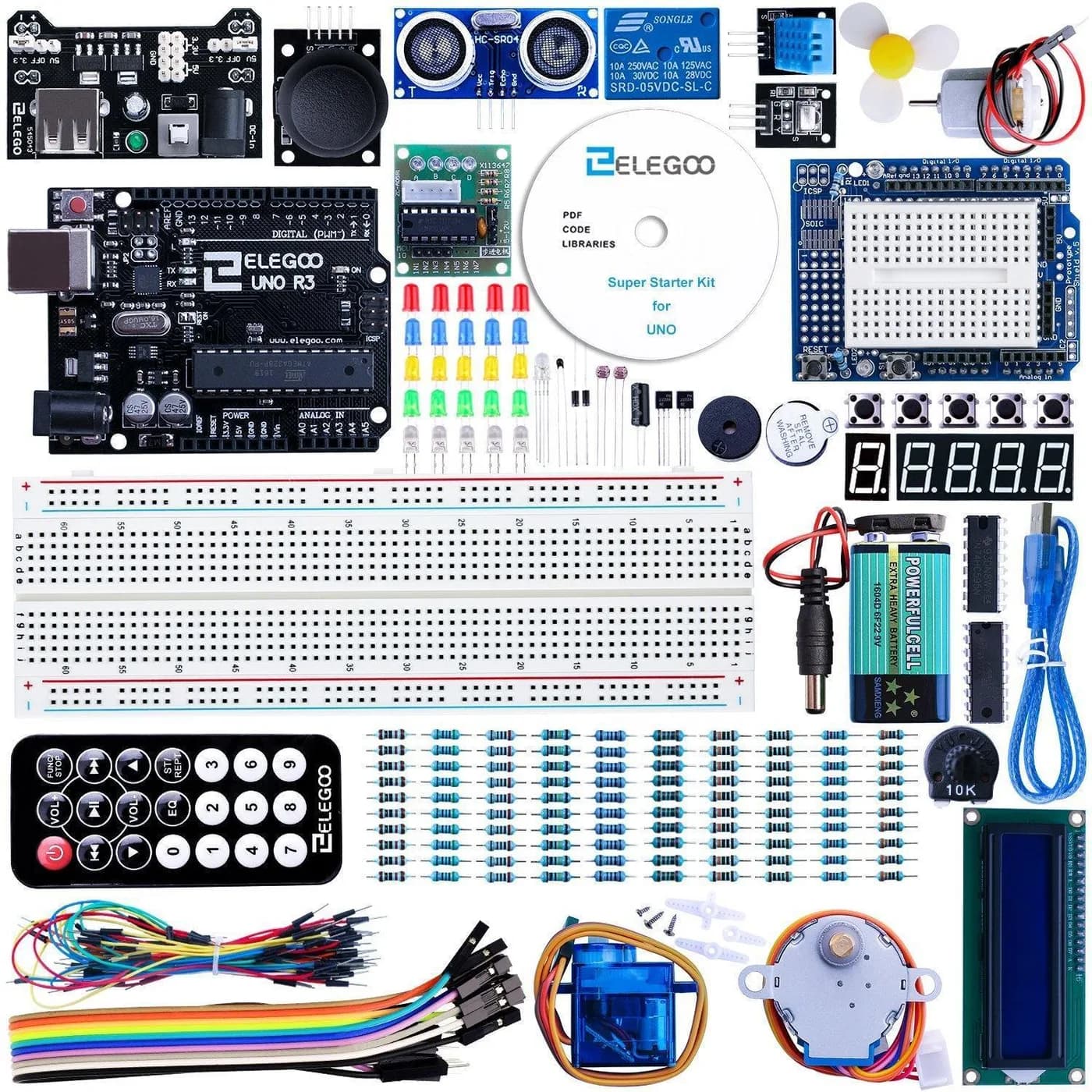
This is the leanest of the three component kits, and a good way to learn the basics of the IDE, how sensors work and how to control them from the UNO. Ages 10 and up are suggested, with supervision for younger children. Choose it if you want a gentler starting point and do not need a large parts library yet.
ELEGOO UNO R3 Super Starter Kit
UNO R3 board with an LCD1602, stepper motor, 7-segment display and a free PDF tutorial.
Opens the ELEGOO store page in a new tab. Check current price and availability there.
See it in the ELEGOO storeUNO R3 Most Complete Starter Kit
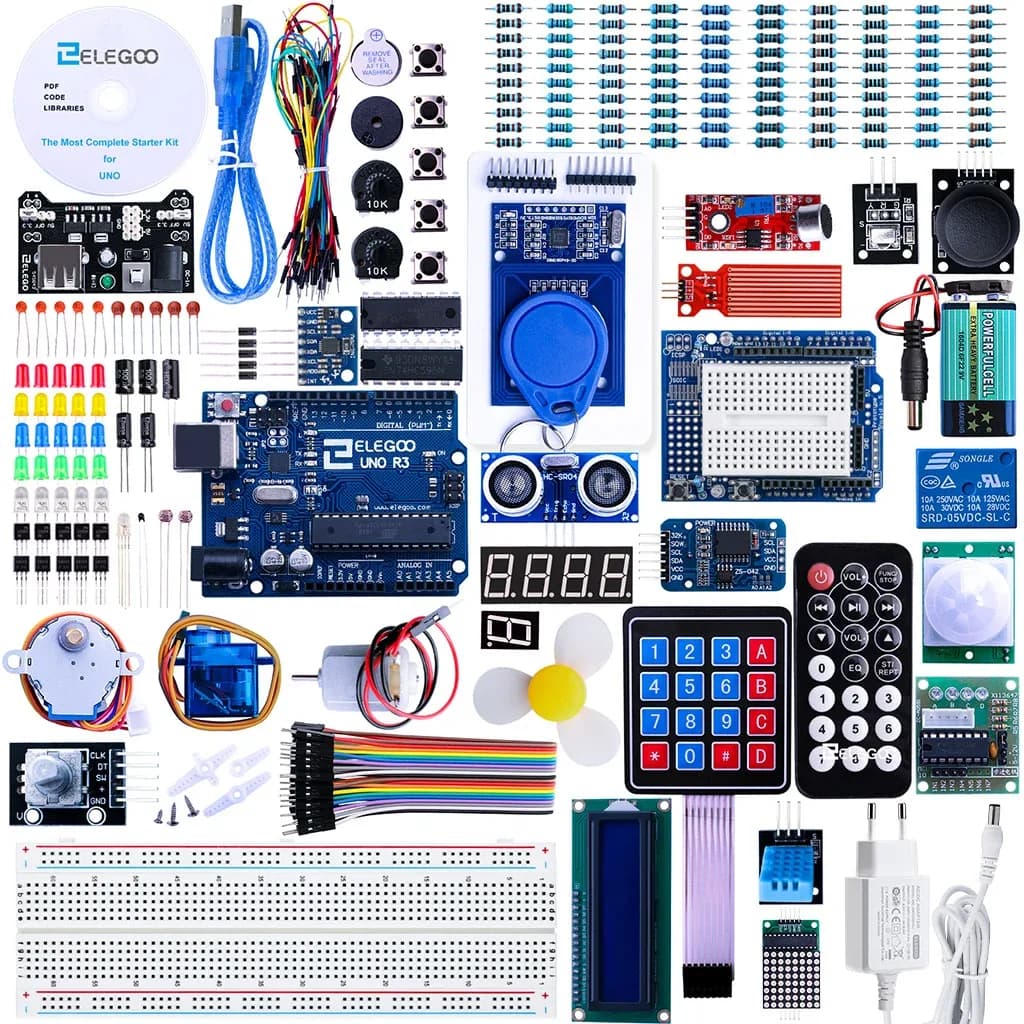
Pick this if you want room to grow on the same UNO board. It has more than 200 components, an RFID module, a motor driver and a compartment case, with 30+ lessons in the free PDF tutorial. It is the better choice of the two UNO kits if you already suspect you will want more modules than the Super Starter Kit offers.
ELEGOO UNO R3 Most Complete Starter Kit
UNO R3 kit with 200+ components, an RFID module and a tutorial of 30+ lessons.
Opens the ELEGOO store page in a new tab. Check current price and availability there.
See it in the ELEGOO storeMega 2560 Most Complete Starter Kit
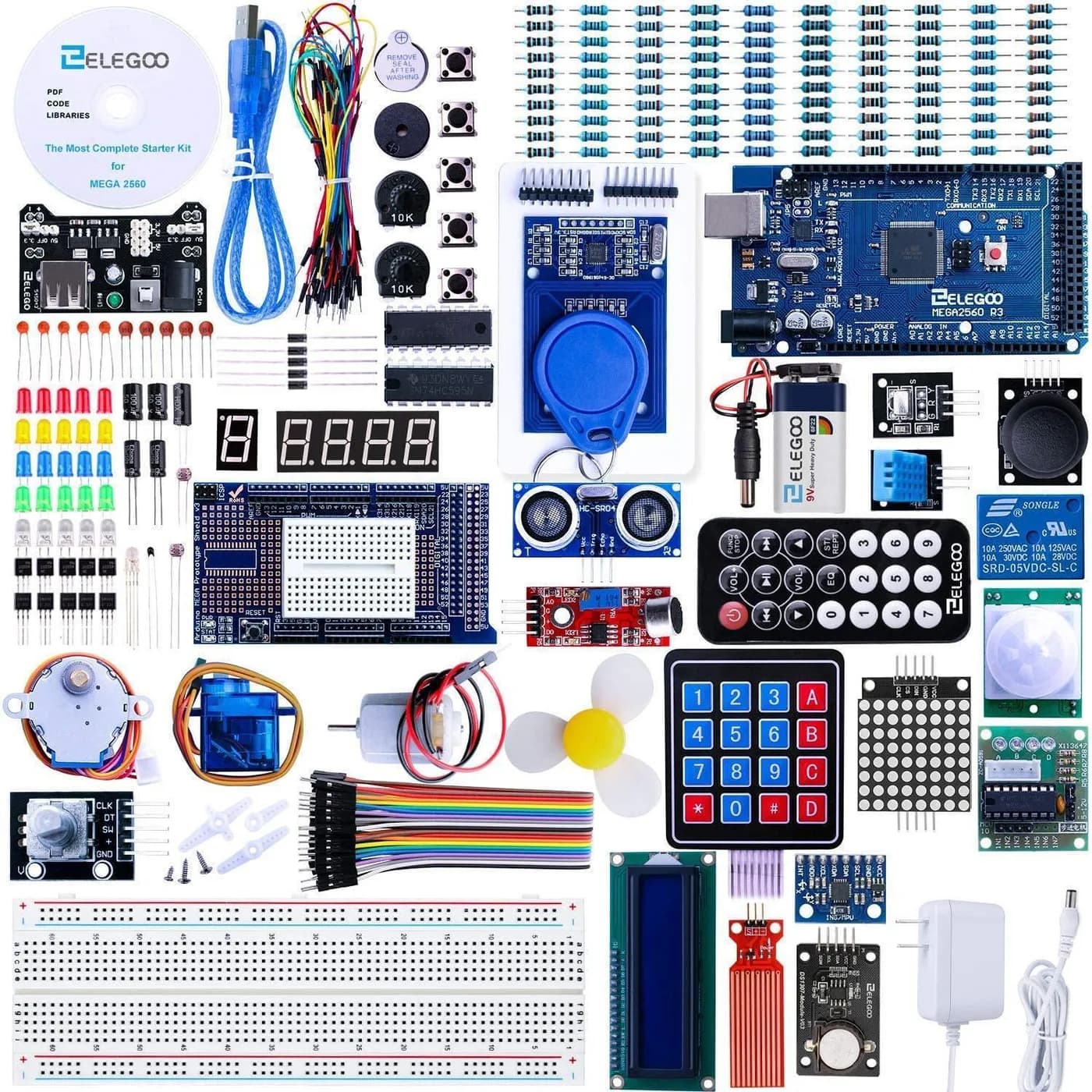
The same idea as the UNO Most Complete kit, but built around the larger Mega 2560 board. It has more than 200 components, a GY-521 sensor module and a tutorial of 35+ lessons for beginners and experienced users. Choose it if your projects will use lots of inputs and outputs. If you are new to Arduino, the UNO version covers the basics with a simpler board.
ELEGOO Mega 2560 The Most Complete Starter Kit
Mega 2560 board with 200+ components and a tutorial of 35+ lessons.
Opens the ELEGOO store page in a new tab. Check current price and availability there.
See it in the ELEGOO storeSmart Robot Car Kit V4.0 (With Camera)
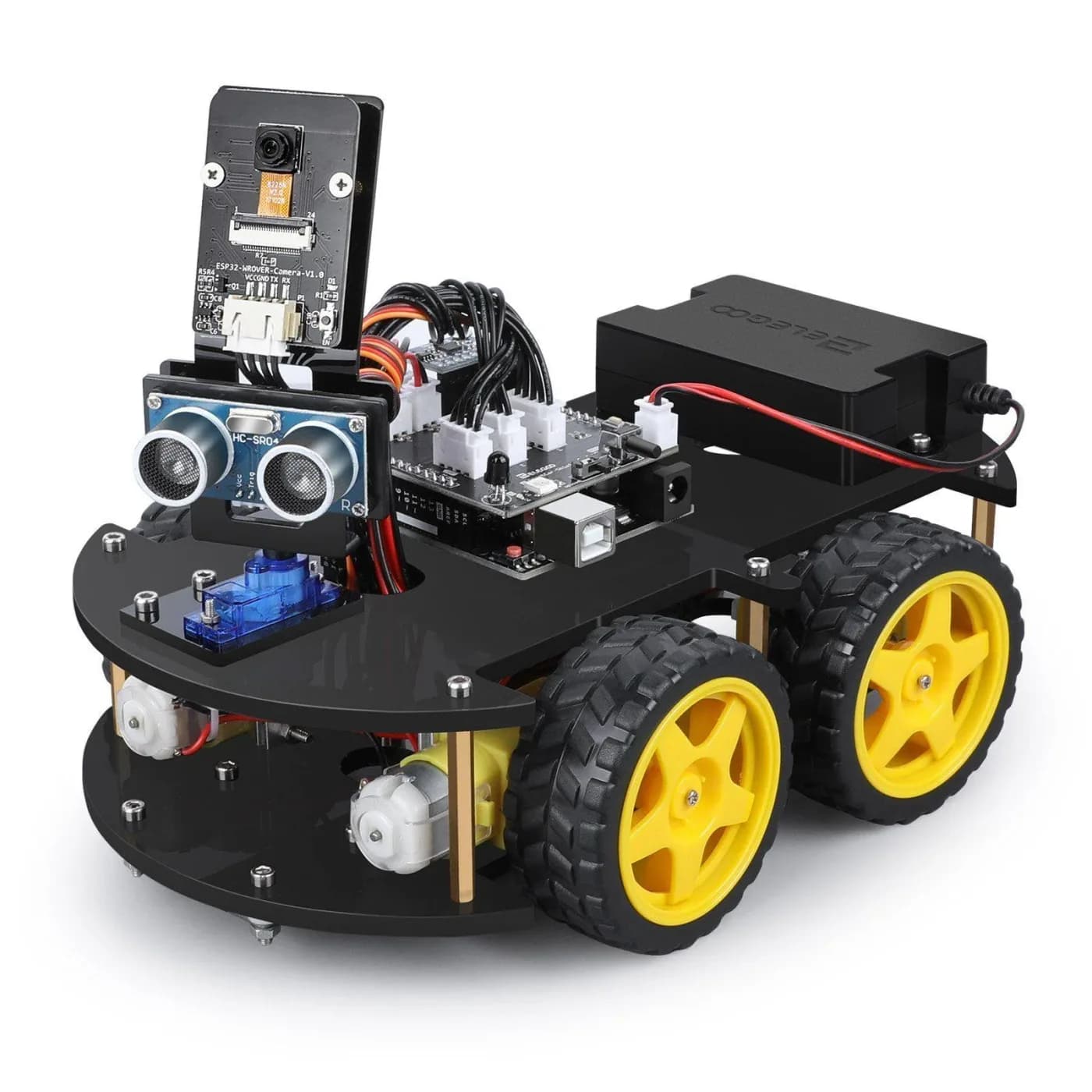
A different kind of kit: you assemble the car from scratch using the CD or online instructions, then program it. It offers obstacle avoidance, line tracking, infrared remote and phone or tablet control, with 24 kinds of module parts. Check whether batteries are included before you order. Choose it if building one working robot appeals more than a drawer of components.
ELEGOO Smart Robot Car Kit V4.0 (With Camera)
Build-it-yourself UNO R3 robot car with obstacle avoidance, line tracking and phone control.
Opens the ELEGOO store page in a new tab. Check current price and availability there.
See it in the ELEGOO storeMistakes to avoid
- Buying the biggest kit by default. More than 200 parts is only useful if you will use them. The Super Starter Kit may be enough to start.
- Choosing the Mega board without a reason. It is bigger and more capable, but a beginner is unlikely to need that on day one.
- Assuming the robot car is plug and play. Basic electronics knowledge helps, so allow time and, for younger builders, an adult's help.
- Judging a kit by lesson count alone. Check that the topics cover what you want to learn, such as displays, motors or sensors.
- Skipping the return terms. Read the store's returns and warranty information before you order, especially for a gift.
Questions readers ask
Which ELEGOO kit is best for a complete beginner?
The UNO R3 kits are the usual starting point because the UNO is the standard beginner board. The Super Starter Kit is the leaner option, and the Most Complete Starter Kit adds many more parts for the same board.
What is the difference between the UNO and Mega 2560 kits?
The board. The Mega 2560 kit uses a larger board suited to projects needing more connections, while the UNO kits use the standard beginner board. Both Most Complete kits have more than 200 components.
Do I need to solder?
Several modules, such as the LCD1602 display, come with pins pre-soldered, so you can start building circuits on a breadboard without a soldering iron.
Is the robot car suitable for children?
It is suggested for ages 13 and up, and beginners should ideally have someone guide them through the build and the first programs.
Can I start with the Super Starter Kit and move up later?
Yes. The UNO kits use the same board and the same Arduino IDE, so what you learn carries over if you later choose a larger kit.
Affiliate notice. Some links on this page may become affiliate links. If you buy through them we may earn a commission at no extra cost to you, and it never changes what we recommend. Read our affiliate disclosure.
Related stories
 Maker tech
ELEGOO Black Friday 2026: The Best Deals
A guide to ELEGOO's Black Friday 2026 sale: the M1 Ultra 3D scanner, the Centauri Carbon 2 Combo, the Saturn 4 Ultra 16K, the OrangeStorm Giga and bulk filament and resin.
Read more Maker tech
Which ELEGOO Machine Is Right for You? Six 3D Printers and a Laser Engraver Compared
A buyer's guide to seven ELEGOO machines: Centauri Carbon 2 Combo, Neptune 4 Pro, OrangeStorm Giga, Mars 5 Ultra, Saturn 4 Ultra 16K, Jupiter 2 and the Phecda laser engraver.
Read more Maker tech
Creality's Range Explained: Multicolor Printers, a Resin Machine, a Laser and a Scanner
A buyer's guide to seven Creality products: K2 Plus Combo, SPARKX i7, Creality Hi Combo, Ender-3 V3 Mega, HALOT-X1 Neo, Falcon A1C laser engraver and Pika 3D scanner.
Read more