Which ELEGOO Machine Is Right for You? Six 3D Printers and a Laser Engraver Compared
Three filament printers, three resin printers and a laser engraver from ELEGOO's current range: what each one is built for, the key specs and which one fits you.
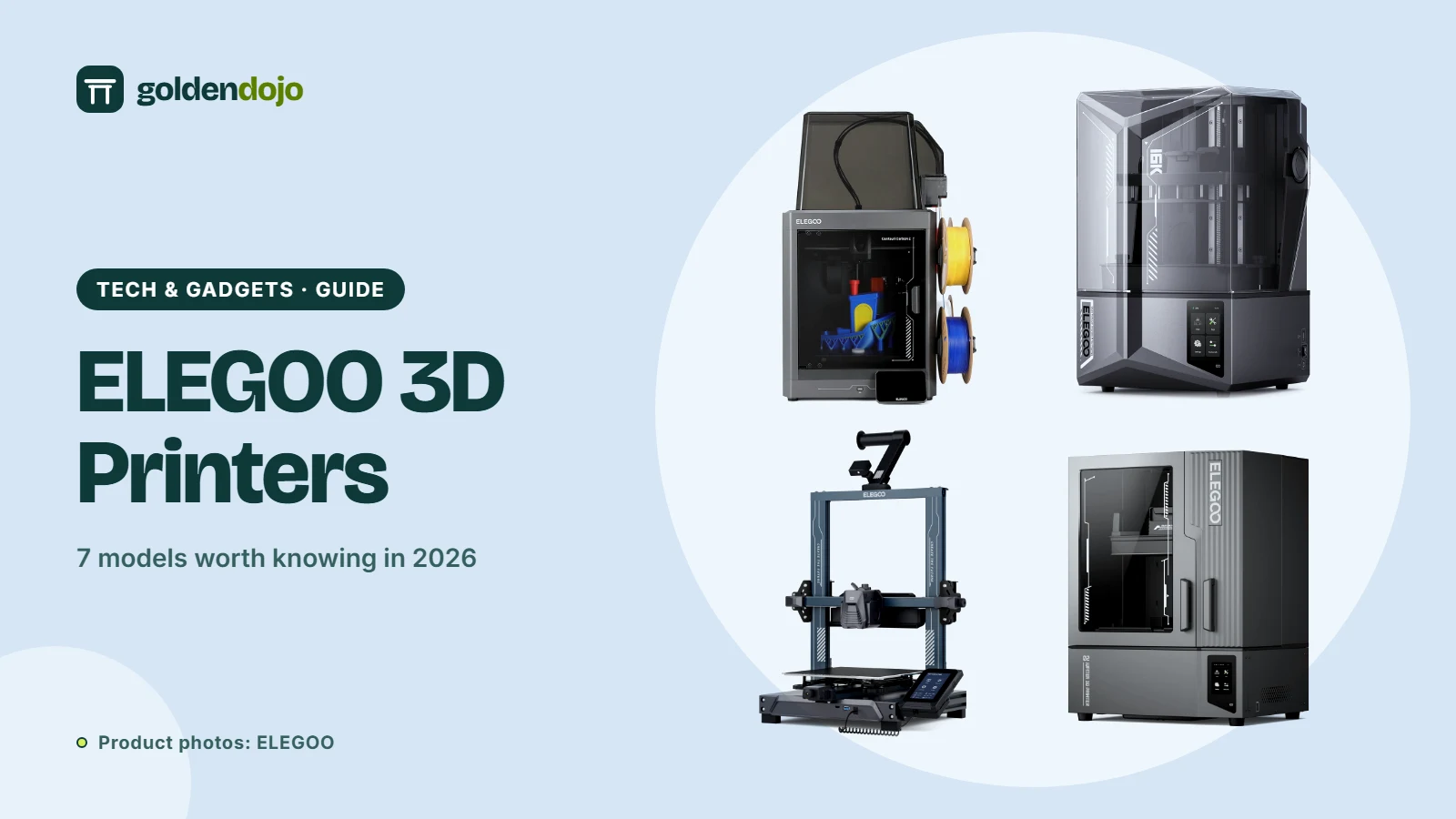
ELEGOO sells several kinds of machine: filament (FDM) printers that melt plastic into shape, resin printers that cure liquid with UV light, and a desktop laser engraver, alongside the filament, resin and accessories to feed them. That breadth is useful, but it also makes the range confusing when you are choosing your first machine. This guide picks seven models, one from each product line on ELEGOO's homepage, explains what each is designed for and sets out the specs the manufacturer lists, so you can compare them on equal terms.
It suits first-time buyers choosing between filament and resin, hobbyists ready to move up to something bigger or more automated, and makers who also want a laser. It does not suit anyone looking for independent test results: we have not hands-on tested these machines, so everything here comes from ELEGOO's official product pages and is described as ELEGOO's claim, not our finding.
At a glance
- Centauri Carbon 2 Combo: enclosed filament printer with four-color CANVAS system
- Neptune 4 Pro: open-frame Klipper filament printer, 225 × 225 × 265 mm
- OrangeStorm Giga: large-format filament printer, 800 × 800 × 1000 mm
- Mars 5 Ultra: compact 9K resin printer with AI camera
- Saturn 4 Ultra 16K: 10-inch 16K resin printer with tank heating
- Jupiter 2: large 16K resin printer with automatic resin feeding
- Phecda laser engraver: 10W or 20W laser, 400 × 400 mm work area
Centauri Carbon 2 Combo
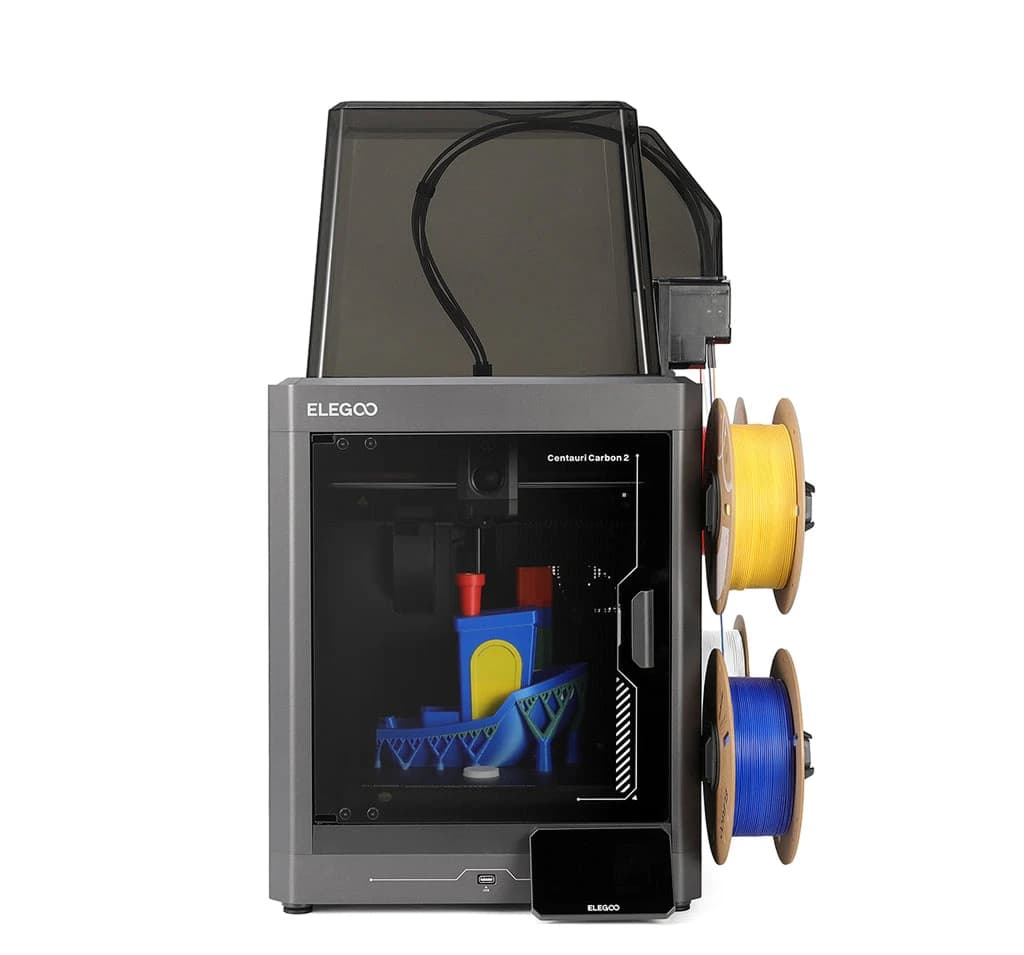
The Centauri Carbon 2 Combo is ELEGOO's enclosed, color-capable filament printer, and it is the machine ELEGOO leads with on its homepage. Its headline feature is CANVAS, a four-spool system that switches colors on the fly. ELEGOO says it recognizes ELEGOO's RFID-tagged filaments automatically, continues onto the next identical spool when one runs out, and pauses if it detects a tangle.
Around that sits a long list of automation: full-auto calibration and leveling, an automatic Z offset, vibration compensation and 31 sensors that watch for clogs, runout, fan failure, overheating and power loss. The chamber is enclosed with a thermal cover and an automatically controlled grille, and the hotend reaches 350 °C with a hardened steel nozzle, which is aimed at tougher materials such as PC, PET and fiber-reinforced filaments.
Two details matter before buying. The spool holder takes spools with a 53–58 mm inner diameter, so larger spools need a printed adapter. And TPU, though natively supported by the Centauri Carbon 2, needs the Flexible Filament Adapter on the Combo, with the CANVAS cable disconnected.
Key specs (ELEGOO):
- Build volume: 256 × 256 × 256 mm, CoreXY motion
- Speed and acceleration: up to 500 mm/s and 20,000 mm/s²
- Nozzle and bed: 350 °C hardened steel nozzle, 110 °C heated bed
- Multicolor: four colors via CANVAS, with RFID detection and auto refill
- Noise: below 45 dB, measured in Silent Mode with ELEGOO PLA and the auxiliary fan off
- Software: ElegooSlicer, Nexprint model hub, ELEGOO Matrix app
- Warranty: 12 months for Centauri Series machines, with exceptions (consumables not covered; extruder and printhead kit 6 months)
Best for: people who want multicolor prints from an enclosed, mostly automated printer, including households that want it in a shared room.
ELEGOO Centauri Carbon 2 Combo
Enclosed CoreXY printer with four-color CANVAS, a 350 °C nozzle and 31 sensors.
Opens the ELEGOO store page in a new tab. Check current price and availability there.
See it in the ELEGOO storeNeptune 4 Pro
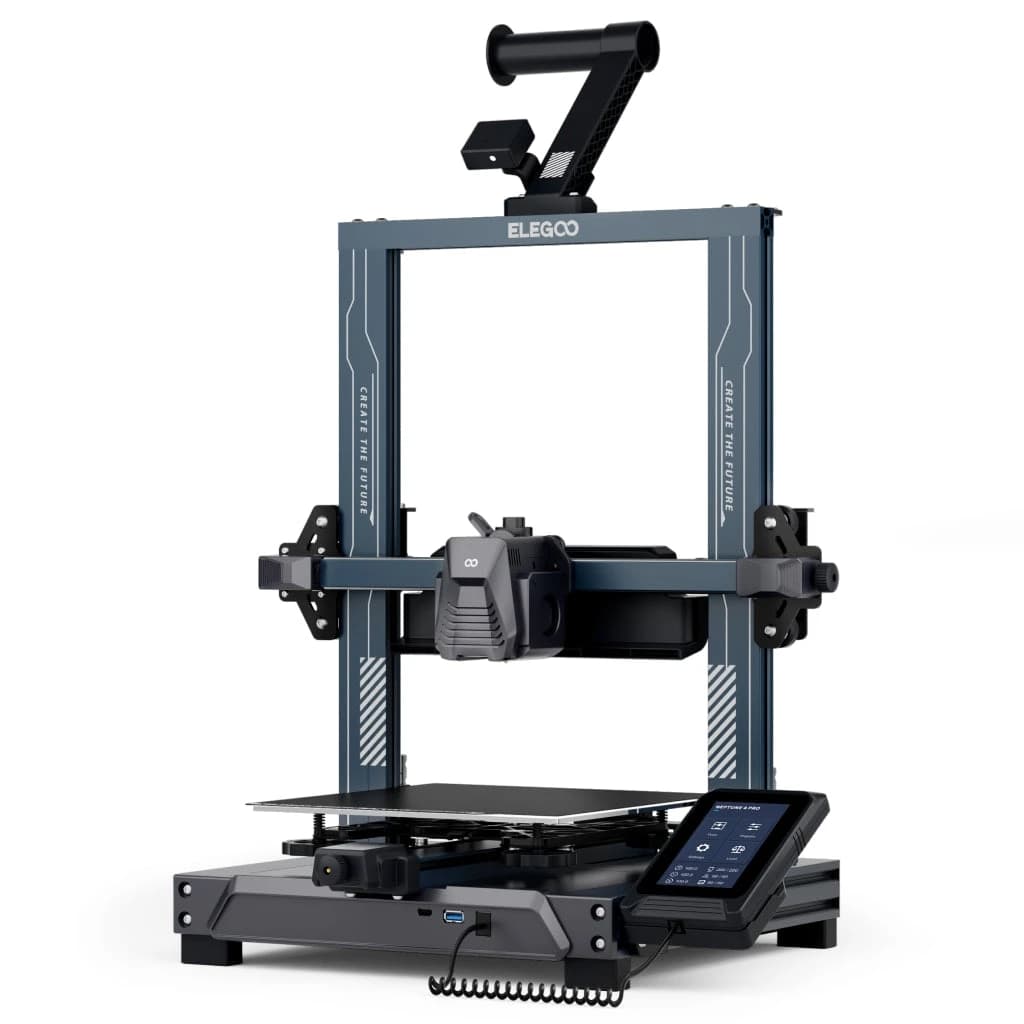
The Neptune 4 Pro is the simpler, open-frame choice. It ships with Klipper firmware pre-installed on a quad-core processor, which is what lets ELEGOO quote a 500 mm/s top speed (it recommends 250 mm/s for everyday use) and support input shaping and pressure advance, two tools that reduce ripples and blobs at speed.
The hardware is aimed at consistency. A dual-gear direct-drive extruder with a 5.2:1 reduction handles flexible filament, the nozzle reaches 300 °C, and the segmented heatbed heats only the area under the model unless the part is larger than the 120 × 120 mm center zone. Leveling takes 121 points, and a dual-sided plate pairs a PLA-specific surface with a textured PEI side.
Because it is an open frame, ELEGOO itself recommends an enclosure for ABS and ASA. It is also a single-material printer, so multicolor means swapping filament by hand.
Key specs (ELEGOO):
- Build volume: 225 × 225 × 265 mm (PEI platform 235 × 235 mm)
- Speed and acceleration: up to 500 mm/s and 20,000 mm/s²
- Nozzle and bed: 300 °C nozzle, 110 °C bed
- Filaments: PLA, TPU, PETG, ABS, ASA and nylon
- Connectivity: LAN and USB, with OTA firmware updates (Type-C version)
- Noise: below 50 dB; net weight 8.9 kg
Best for: tinkerers who like tuning, single-color makers and anyone who wants speed without the cost of an enclosed multicolor system.
ELEGOO Neptune 4 Pro
Klipper-based FDM printer with a 300 °C nozzle, segmented heatbed and 121-point auto leveling.
Opens the ELEGOO store page in a new tab. Check current price and availability there.
See it in the ELEGOO storeOrangeStorm Giga
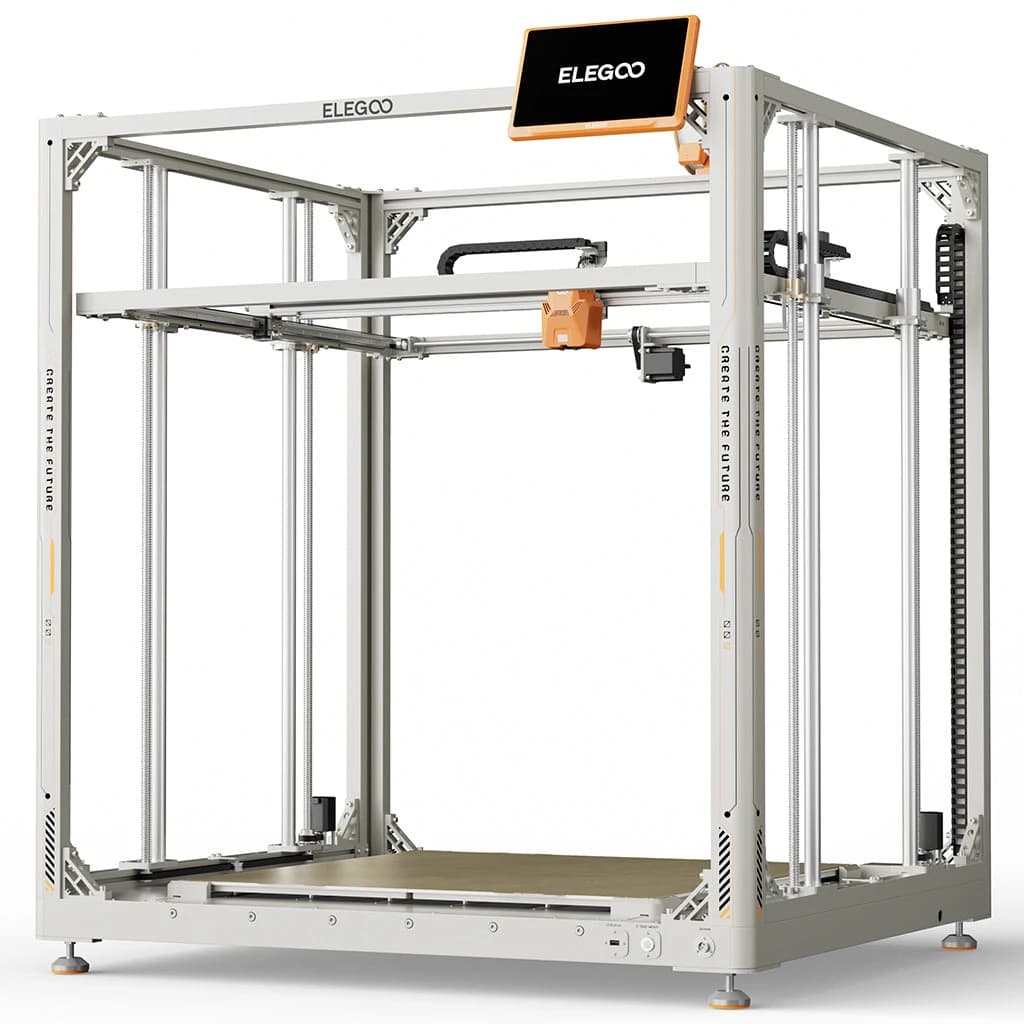
Most desktop printers top out around 250 mm per side, which forces you to slice large objects into pieces. The OrangeStorm Giga takes the opposite approach with an 800 × 800 × 1000 mm build volume. The bed is made of four independent 410 × 410 mm PEI plates, and ELEGOO says the plate holding the model can be heated alone to save energy.
ELEGOO lists a 300 mm/s top speed with 150 mm/s recommended, a 300 °C brass nozzle, 100-point auto leveling, filament detection and power loss recovery. A 0.6 mm nozzle is included, and three extra printheads can be added (sold separately) to print up to four copies, or four colors of the same model, at once.
The trade-off is practical. The machine is 1,224 × 1,164 × 1,425 mm, weighs 104 kg net and draws up to 1,530 W with a single head, plus 100 W for each additional head. The specification lists PLA, PETG and TPU as compatible filaments.
Key specs (ELEGOO):
- Build volume: 800 × 800 × 1000 mm
- Speed and acceleration: up to 300 mm/s (150 mm/s recommended) and 5,000 mm/s²
- Nozzle and bed: 300 °C nozzle, 100 °C bed in four zones
- Connectivity: USB, LAN and Wi-Fi; 10.1-inch detachable touch screen
- Power: up to 1,530 W (single head)
Best for: prop, costume and scale-model makers and small workshops that regularly print oversized parts and have the room and power for them.
ELEGOO OrangeStorm Giga
Large-format FDM printer with an 800 × 800 × 1000 mm build volume and a four-zone heated bed.
Opens the ELEGOO store page in a new tab. Check current price and availability there.
See it in the ELEGOO storeMars 5 Ultra
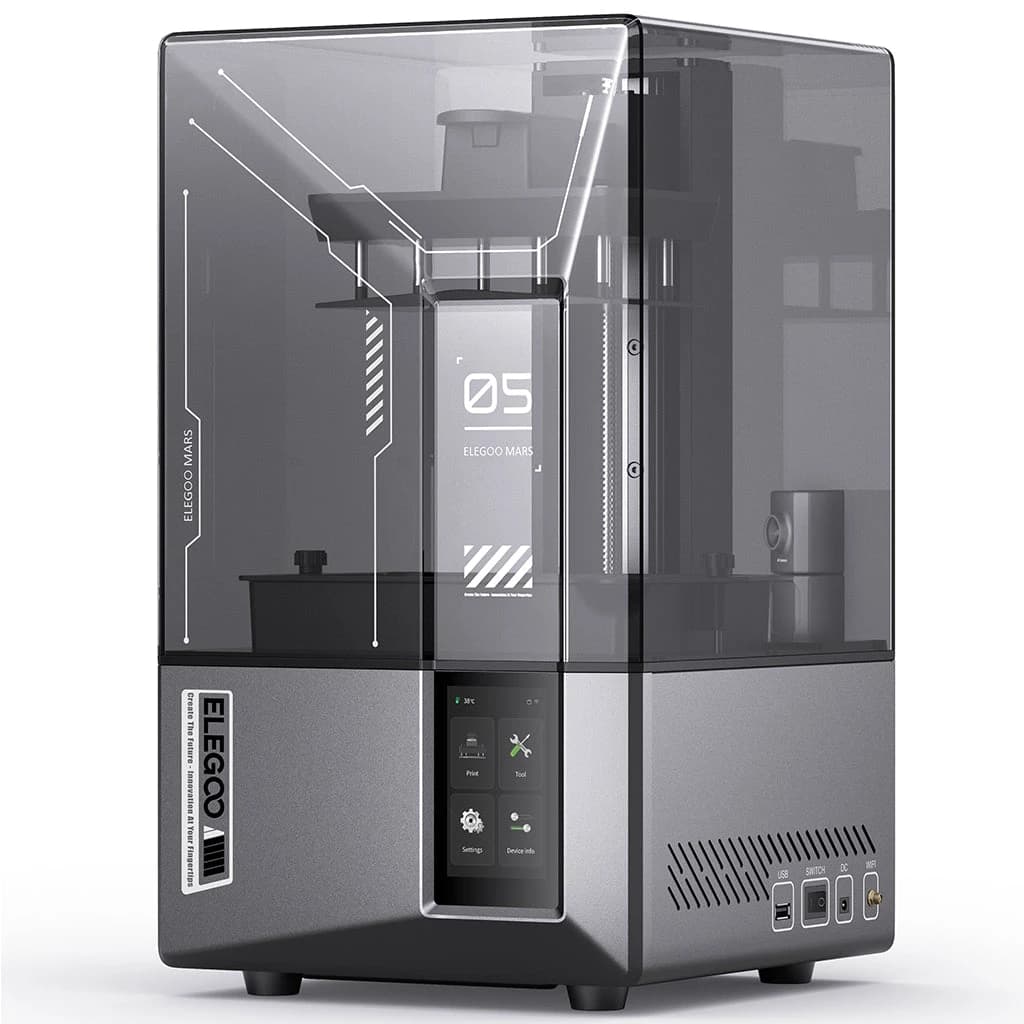
Resin printers are the choice when surface detail matters: miniatures, jewelry masters and anything with fine texture. The Mars 5 Ultra is a compact printer in ELEGOO's Mars line, built around features that cut the usual first-print hurdles. One click runs a self-check, a mechanical sensor levels the plate automatically, and an AI camera watches for empty build plates and warping.
It uses a 7-inch 9K monochrome LCD and ELEGOO's tilt release technology, which peels the model from the film at an angle for speeds up to 150 mm/h. Sensors give alarms for resin shortage, residue and leveling failure, and printing pauses if the LED passes 80 °C, then resumes after a power cut.
The build volume is small, and resin printing always involves gloves, washing and curing. ELEGOO notes AI detection results vary with the environment, models and resin.
Key specs (ELEGOO):
- Build volume: 153.36 × 77.76 × 165 mm
- Screen: 7-inch 9K mono LCD (8520 × 4320), 18 × 18 μm XY resolution
- Speed: up to 150 mm/h; layer thickness 0.01–0.2 mm
- Light source: COB, 405 nm, 92% light uniformity
- Connectivity: USB and Wi-Fi; slicer: Chitubox
- Machine size: 260 × 268 × 451.5 mm, 8.8 kg net
Best for: first-time resin buyers and miniature makers who want automation and have limited desk space.
ELEGOO Mars 5 Ultra
Compact 7-inch 9K resin printer with auto leveling, tilt release and an AI camera.
Opens the ELEGOO store page in a new tab. Check current price and availability there.
See it in the ELEGOO storeSaturn 4 Ultra 16K
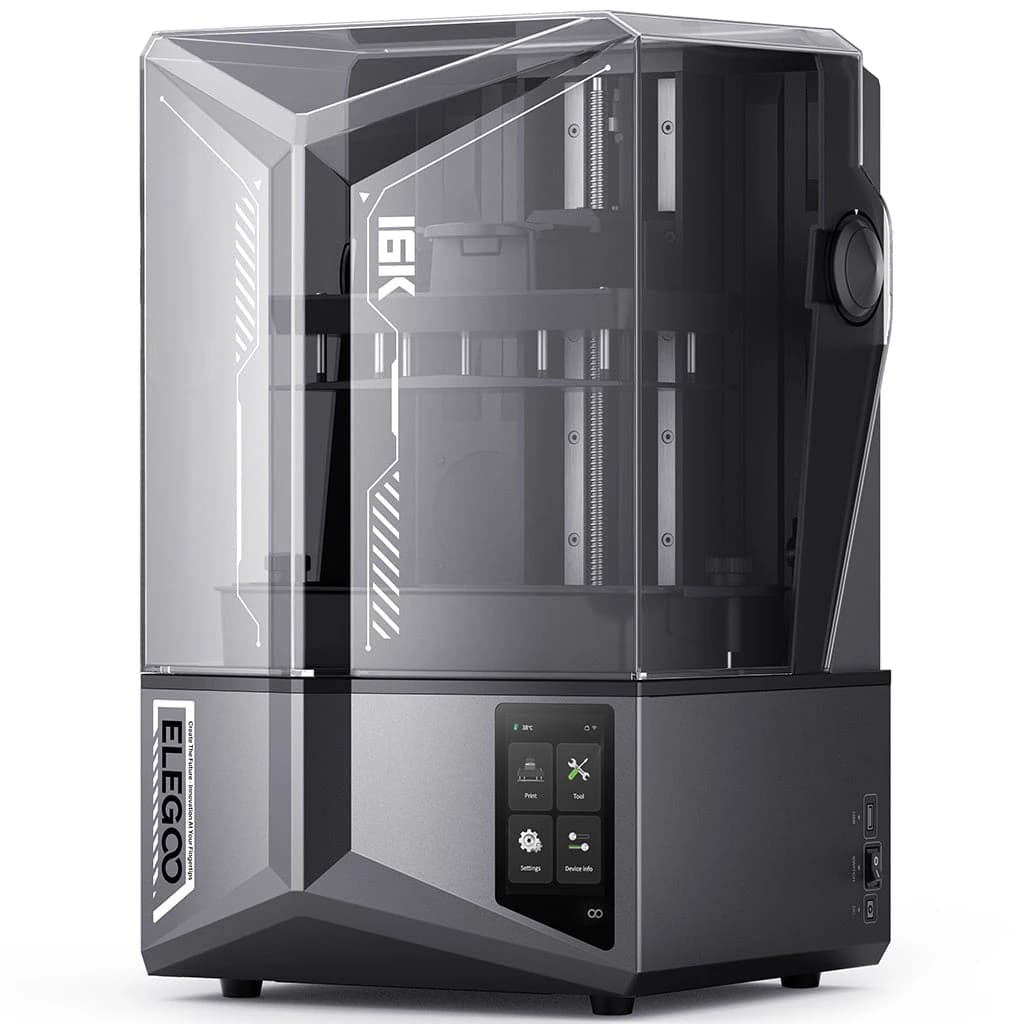
The Saturn 4 Ultra 16K sits at the high-resolution end of ELEGOO's Saturn line. Its 10-inch monochrome LCD has 15120 × 6230 pixels, which ELEGOO converts into a 14 × 19 μm XY resolution, on a wider and taller build area than the Mars.
Beyond detail, ELEGOO emphasizes consistency. Smart tank heating holds resin at 30 °C to improve flow and reduce bubbles and layer separation, automatic leveling needs no manual adjustment, and an AI camera with a chamber light supports monitoring and time-lapse. Dual-band Wi-Fi lets you manage several printers from one interface.
The 5.5 seconds per layer figure ELEGOO quotes applies only in fast mode with Chitubox's default parameters, including a 2.5 s exposure, so read it as a best case. The footprint is wide and shallow, which suits tall or narrow models better than large flat ones.
Key specs (ELEGOO):
- Build volume: 211.68 × 118.37 × 220 mm
- Screen: 10-inch 16K mono LCD (15120 × 6230), 14 × 19 μm XY resolution
- Speed: up to 150 mm/h, 5.5 s per layer under stated conditions
- Heating: smart tank heating at 30 °C
- Extras: PFA release film, 9H glass LCD protector, laser-engraved build plate, power loss recovery
Best for: detail-focused makers who want a mid-sized resin printer that levels itself and watches the print.
ELEGOO Saturn 4 Ultra 16K
10-inch 16K resin printer with 30 °C tank heating, auto leveling and an AI camera.
Opens the ELEGOO store page in a new tab. Check current price and availability there.
See it in the ELEGOO storeJupiter 2
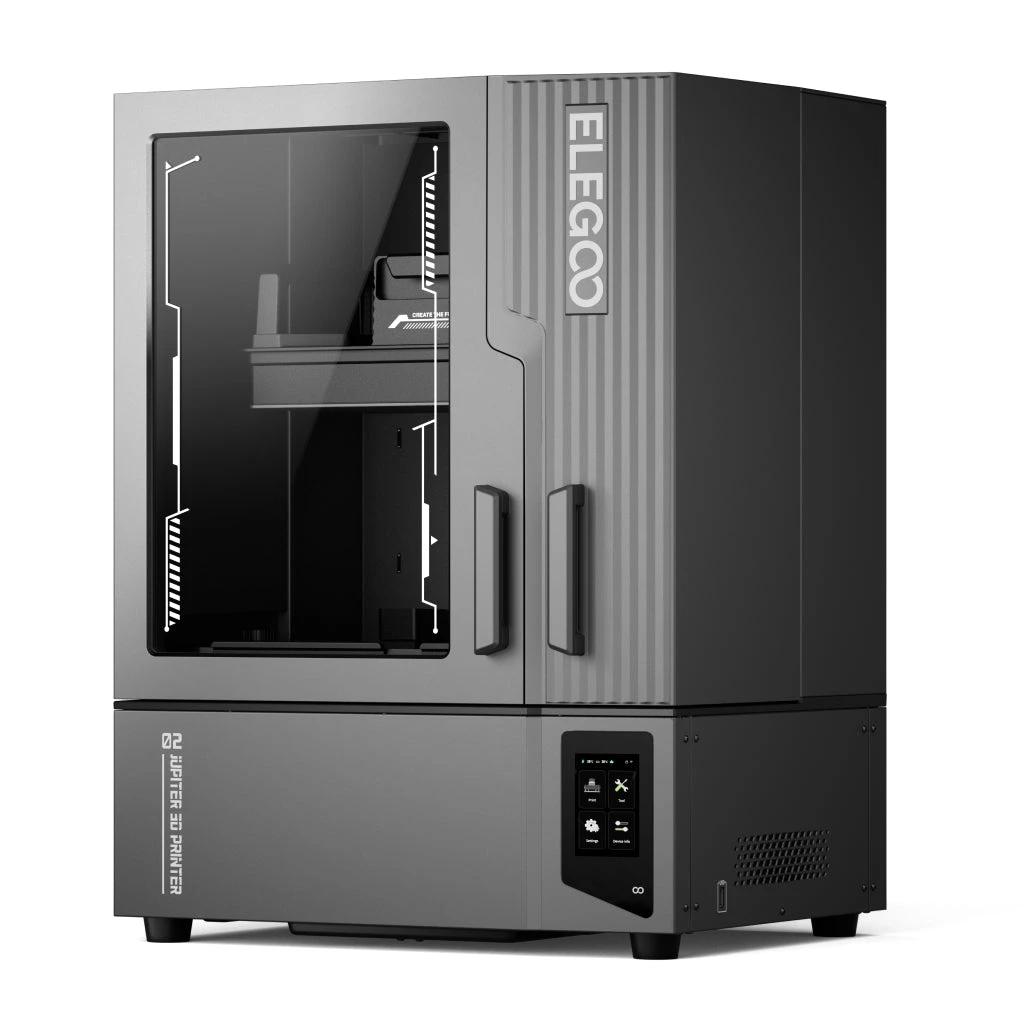
Resin printers usually force a choice between detail and size. The Jupiter 2 aims to avoid it with a 302 × 162 × 300 mm build volume, which ELEGOO says is 2.5 times the Saturn 4's, and a 16K screen (15120 × 6230, 20 × 26 μm XY resolution).
Its distinctive feature is an automated resin system: a two-way pump and a 2 kg bottle feed and recycle resin automatically, with alerts when it runs low, designed around ELEGOO's own 2 kg bottles. It also has 30 °C tank heating, a camera with an LED light, a quick-lock release film and a modular LCD for easier maintenance.
Two things to read carefully. ELEGOO notes that for full-size prints you must remove the resin tank to take the model out. And the product page describes leveling both as automatic with four force sensors and as a manual workflow with real-time feedback, so check the manual for the exact procedure.
Key specs (ELEGOO):
- Build volume: 302 × 162 × 300 mm
- Screen: 16K (15120 × 6230), 20 × 26 μm XY resolution
- Resin: automatic feeding and recycling, 2 kg bottle
- Heating: smart tank heating at 30 °C
- Extras: chamber camera and LED, double doors, Wi-Fi cluster printing, power loss recovery
Best for: resin users who have outgrown a small printer and want large prints with less refilling.
ELEGOO Jupiter 2
Large 16K resin printer with automatic resin feeding, 30 °C tank heating and a camera.
Opens the ELEGOO store page in a new tab. Check current price and availability there.
See it in the ELEGOO storePhecda laser engraver
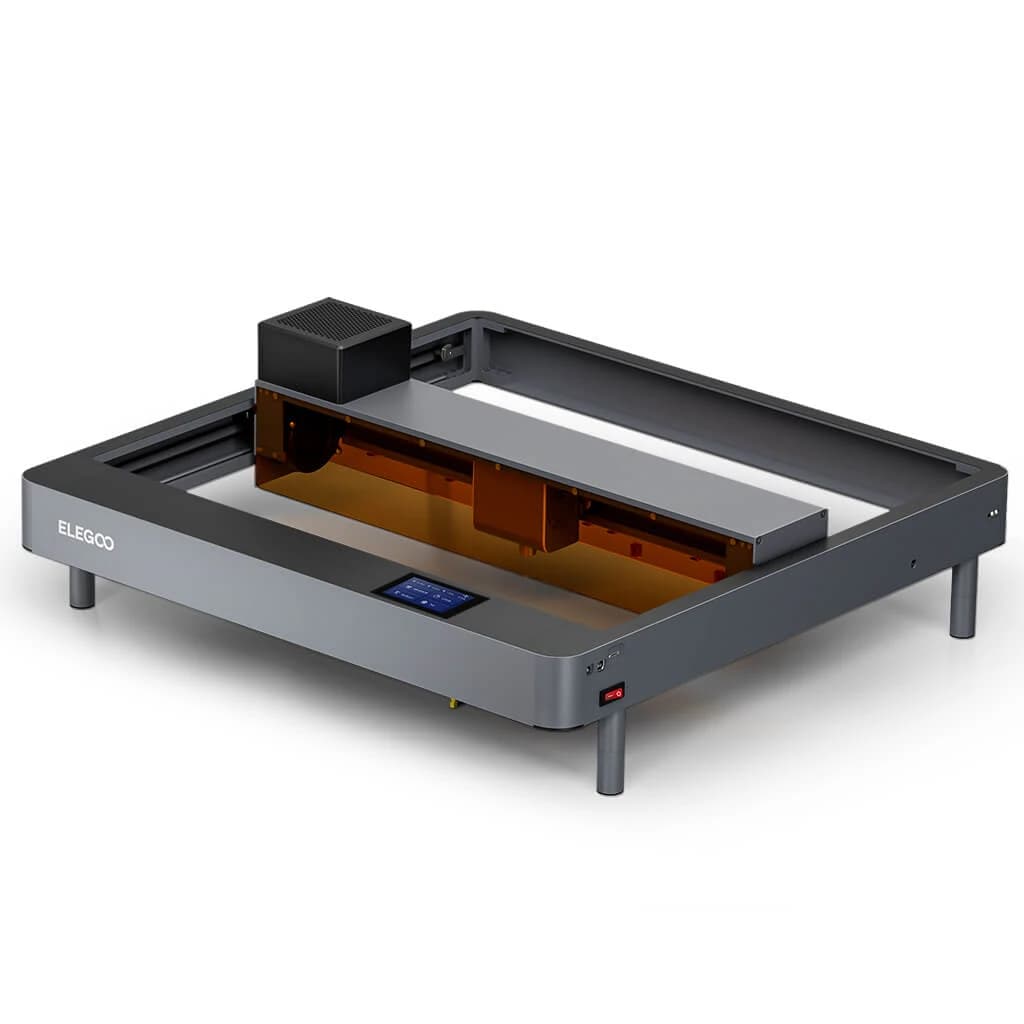
The Phecda is not a 3D printer, but it appeals to the same makers. It is a desktop laser that engraves and cuts flat material, in 10W and 20W versions. Both cover a 400 × 400 mm area and reach 25,000 mm/min on the X axis; the 10W version has a 0.06 × 0.06 mm spot and cuts up to 8 mm basswood, while the 20W has a 0.07 × 0.13 mm spot and cuts up to 14 mm.
ELEGOO lists a good set of safety features: a flame detector that shuts the machine down, an alarm if it is moved or tilted, and a magnetic translucent shading plate that doubles as a laser shield and smoke collector. A smoke filter with two cooling fans handles fumes. It works with LightBurn and LaserGRBL and can be controlled by TF card, USB or app.
The design is open rather than a closed housing, so plan for ventilation, supervision and eye protection. The rotary attachment, air assist and enclosure are sold separately.
Key specs (ELEGOO):
- Work area: 400 × 400 mm; machine 673 × 660 × 190 mm
- Power: 10W (55 W machine) or 20W (85 W machine)
- Speed: up to 25,000 mm/min (X) and 18,000 mm/min (Y)
- Software and formats: LightBurn, LaserGRBL; SVG, DXF, JPG, PNG, BMP, TIF
- Safety: flame detection, tilt alarm, shading plate, smoke filter
Best for: craft makers and small sellers who want to engrave or cut wood, leather and similar materials, and 3D printer owners adding a second tool.
ELEGOO Phecda Laser Engraver & Cutter
Desktop laser engraver and cutter with 10W or 20W output and a 400 × 400 mm work area.
Opens the ELEGOO store page in a new tab. Check current price and availability there.
See it in the ELEGOO storeHow to choose between them
Start with the technology, then the size, then the automation level.
- Filament (FDM) builds sturdy, functional parts and handles larger objects and multiple colors. Surface finish is good but shows layer lines.
- Resin gives the finest detail but involves liquid resin, gloves, washing and curing, and the build areas are smaller.
- Laser works on flat material only, but is quick for signs, gifts and personalized items.
| If you want... | Look at |
|---|---|
| Multicolor prints from an enclosed, automated printer | Centauri Carbon 2 Combo |
| Fast, tunable single-color printing at a smaller volume | Neptune 4 Pro |
| The biggest build volume in the range | OrangeStorm Giga |
| A compact resin printer to learn on | Mars 5 Ultra |
| Maximum detail in a mid-sized resin printer | Saturn 4 Ultra 16K |
| Large resin prints with automatic feeding | Jupiter 2 |
| Engraving and cutting flat materials | Phecda laser engraver |
If you are torn between the three resin printers, the build volumes are the quickest guide: the Mars 5 Ultra is 153.36 × 77.76 × 165 mm, the Saturn 4 Ultra 16K is 211.68 × 118.37 × 220 mm and the Jupiter 2 is 302 × 162 × 300 mm. If you are also comparing brands, our Creality guide covers a different set of printers, a laser and a scanner. Among the filament printers, decide first whether you need color and an enclosure (Centauri), speed in a smaller footprint (Neptune) or size (Giga).
Things to know before buying
- Product pages show best cases. Top speeds, quiet-running figures and layer times come with stated conditions. Use them to compare machines, not to predict your own results.
- Resin needs a workflow. Gloves, ventilation, washing and curing are part of resin printing. ELEGOO sells a wash and cure station and an air purifier (the Mars Mate, which the Mars 5 Ultra and Saturn 4 Ultra 16K pages list as compatible) separately.
- Check space and power. The Giga needs a dedicated spot and up to 1,530 W, and the resin printers need room around them for resin and cleaning.
- Read the materials list. Filament compatibility differs: the Neptune 4 Pro lists PLA, TPU, PETG, ABS, ASA and nylon, the Giga lists PLA, PETG and TPU, and the Centauri has specific notes for TPU and abrasive filaments.
- Consumables and accessories add up. Extra printheads for the Giga, the rotary attachment and air assist for the Phecda, and release films and build plates for resin printers are separate purchases.
- Prices and stock change. Check the store for the current price, availability and warranty terms before you decide.
Questions readers ask
Which ELEGOO printer is best for a beginner?
ELEGOO positions the Mars 5 Ultra (resin) and the Centauri Carbon 2 Combo (filament) around automation, with auto leveling and sensors. The right one depends on whether you want fine detail or sturdy, multicolor parts.
Should I choose filament or resin?
Filament suits functional parts, larger objects and multicolor printing. Resin suits small, highly detailed models, but it needs gloves, ventilation, washing and curing.
Which model has the largest build volume?
The OrangeStorm Giga, at 800 × 800 × 1000 mm, according to ELEGOO. The largest resin printer here is the Jupiter 2, at 302 × 162 × 300 mm.
Do any of these print in multiple colors?
The Centauri Carbon 2 Combo prints in four colors through CANVAS. The OrangeStorm Giga can print four colors of the same model at once with extra printheads (sold separately).
Is the Phecda a 3D printer?
No. It is a laser engraver and cutter for flat materials, available in 10W and 20W versions.
Did you test these machines?
No. This guide is based on ELEGOO's official product pages and specifications, and we have not hands-on tested them.
Affiliate notice. Some links on this page may become affiliate links. If you buy through them we may earn a commission at no extra cost to you, and it never changes what we recommend. Read our affiliate disclosure.
Related stories
 Maker tech
Creality's Range Explained: Multicolor Printers, a Resin Machine, a Laser and a Scanner
A buyer's guide to seven Creality products: K2 Plus Combo, SPARKX i7, Creality Hi Combo, Ender-3 V3 Mega, HALOT-X1 Neo, Falcon A1C laser engraver and Pika 3D scanner.
Read moreMechanical keyboards for beginners: switches, sizes and what to skip
A plain-language guide to switch types, layouts, keycaps and the extras you can skip on your first mechanical keyboard.
Read moreNoise-cancelling headphones under $300: what to look for before you buy
How to choose active noise-cancelling headphones: comfort, codecs, battery, call quality and the claims worth ignoring.
Read more